Page 1 of 3
Address Layout in Module
Posted: Tue Jun 11, 2024 11:09 am
by Fiber
I have installed 1.0.9.3 and am busy configuring the payment methods. What I now notice with the standard money order is that the details of the Shop are there, which is good of course, but not in the way I think it should be, namely neatly arranged and not on 1 line,
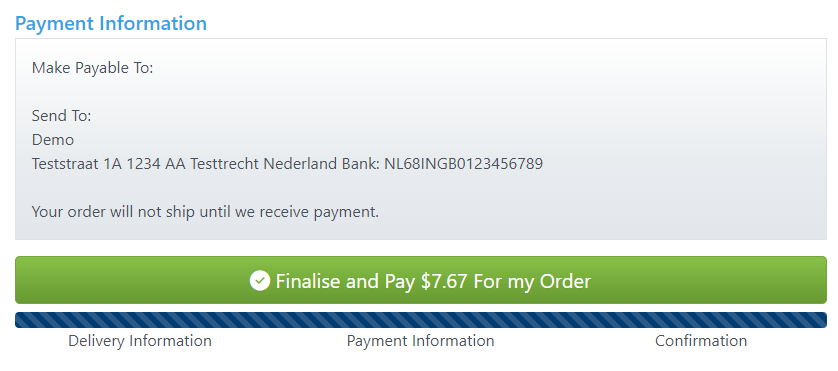
so then I think ohh then I do a br at Store address in admin
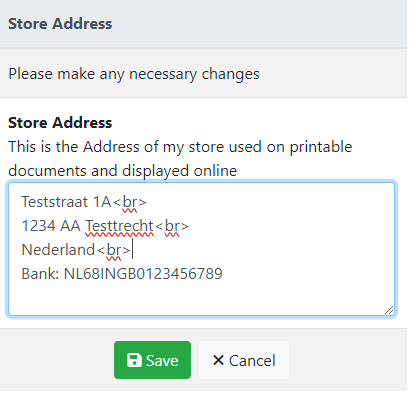
but then it looks good at money order but not in the footer at store details..
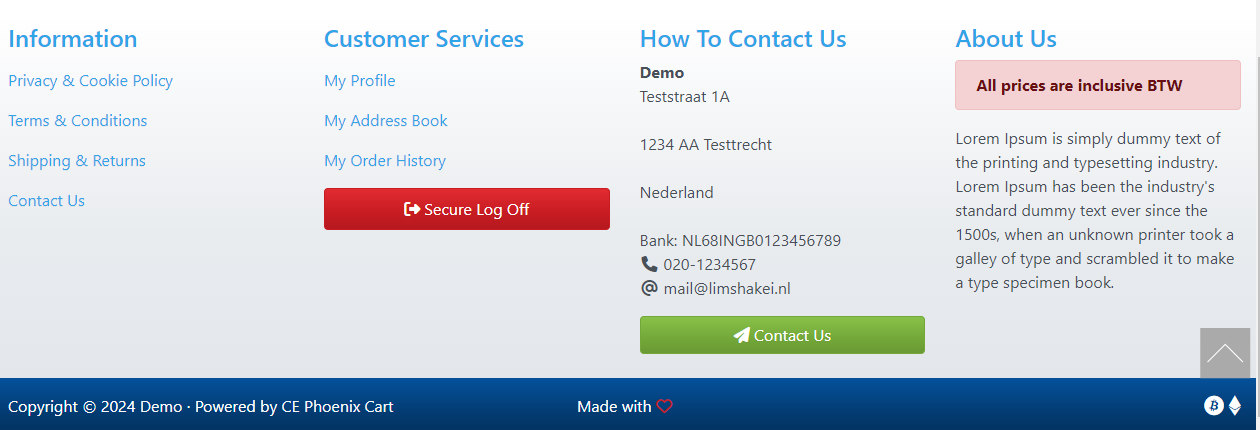
Make payable to: not filled in yet..
Re: Bug Hunt!
Posted: Tue Jun 11, 2024 12:10 pm
by ecartz
Fiber wrote: ↑Tue Jun 11, 2024 11:09 am
but then it looks good at money order but not in the footer at store details..
While it might make sense for us to make it display the same in both places, I think that you might be able to work around it by putting in a <br> without a carriage return.
Test Store<br />1234 Fake Dr<br />Test, OH 44444<br />Bank: 0123456789
Re: Bug Hunt!
Posted: Tue Jun 11, 2024 1:06 pm
by Fiber
ecartz wrote: ↑Tue Jun 11, 2024 12:10 pm
While it might make sense for us to make it display the same in both places,
Yep

I think that you might be able to work around it by putting in a <br> without a carriage return.
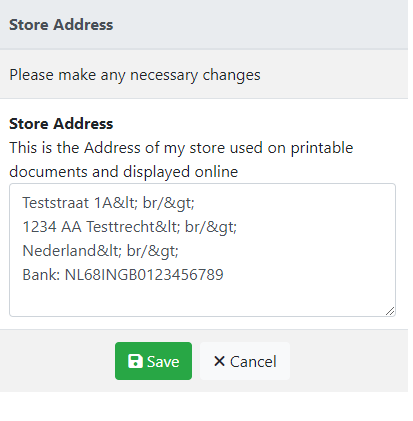
Test Store<br />1234 Fake Dr<br />Test, OH 44444<br />Bank: 0123456789
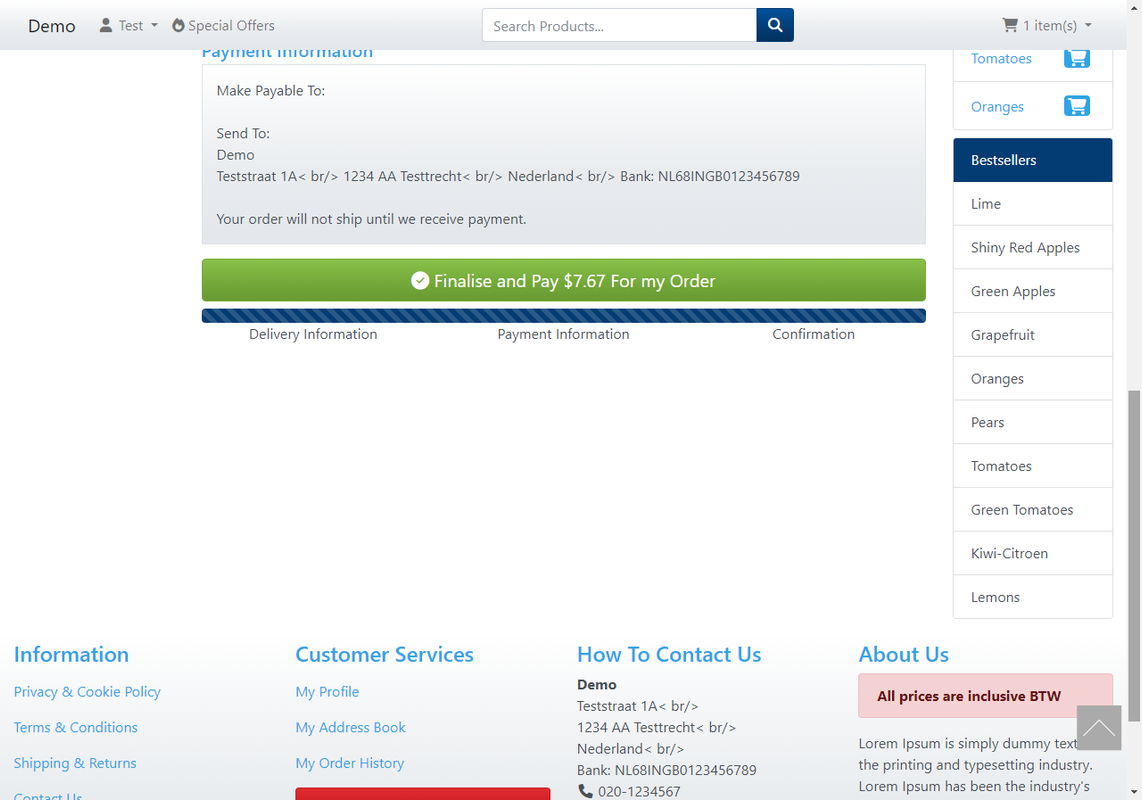
If I do that, see pictures...
Re: Bug Hunt!
Posted: Tue Jun 11, 2024 1:10 pm
by ecartz
Fiber wrote: ↑Tue Jun 11, 2024 1:06 pm
If I do that, see pictures...
Did you copy and paste what I wrote? I think that the forum converted < into < and > into > -- if you convert them back (manually, by typing in the text box), I think it would work.
Re: Bug Hunt!
Posted: Tue Jun 11, 2024 1:20 pm
by Fiber
ecartz wrote: ↑Tue Jun 11, 2024 1:10 pm
Did you copy and paste what I wrote? I think that the forum converted < into < and > into > -- if you convert them back (manually, by typing in the text box), I think it would work.
No i did just typing, i did it just again just to be sure.. same result..
Re: 🐞 Bug Hunt! 🐞
Posted: Tue Jun 11, 2024 5:39 pm
by burt
In the payment module;
Code: Select all
public function confirmation() {
      return [
        'title' => sprintf(MODULE_PAYMENT_MONEYORDER_TEXT_CONFIRMATION,
                           (self::get_constant('MODULE_PAYMENT_MONEYORDER_PAYTO') ?? ''),
                           STORE_NAME, STORE_ADDRESS),
      ];
    }
to
Code: Select all
public function confirmation() {
      return [
        'title' => sprintf(MODULE_PAYMENT_MONEYORDER_TEXT_CONFIRMATION,
                           (self::get_constant('MODULE_PAYMENT_MONEYORDER_PAYTO') ?? ''),
                           STORE_NAME, nl2br(STORE_ADDRESS)),
      ];
    }
please report back if this solves it?
Re: Bug Hunt!
Posted: Tue Jun 11, 2024 6:11 pm
by Fiber
burt wrote: ↑Tue Jun 11, 2024 5:39 pm
Code: Select all
STORE_NAME, nl2br(STORE_ADDRESS)),
please report back if this solves it?
Yep, it's good now... ty
@Just looked at the order confirmation email and now it is not listed correctly there.
mail.png
Re: 🐞 Bug Hunt! 🐞
Posted: Wed Jun 12, 2024 11:05 am
by burt
I don't know what your code now looks like.
Do you have <br> in the address input? If yes, remove.
Re: Bug Hunt!
Posted: Wed Jun 12, 2024 11:43 am
by Fiber
burt wrote: ↑Wed Jun 12, 2024 11:05 am
I don't know what your code now looks like.
Do you have <br> in the address input? If yes, remove.
No, I haven't
It happened after I added the previous nl2br, I still played with email options in admin from LF and CRLF with LF it is fine, but I then see this in the header of the email
--=_068da915d5c882f52988f070b0421b62
Content-Type: text/plain; charset="utf-8"
Content Transfer Encoding: 7bit
and under the email is the source code of the email, If set it to CRLF then the break again..
🐞 Bug Hunt! 🐞
Posted: Wed Jun 12, 2024 11:48 am
by ecartz
Change
https://github.com/CE-PhoenixCart/Phoen ... 1-L144C137 to
Code: Select all
$text = strip_tags(html_entity_decode(preg_replace("{<br[^>]*>\r?\n?}gi", $this->lf, $email_text), ENT_QUOTES | ENT_SUBSTITUTE | ENT_HTML5, $this->build_params['text_charset']));
Text emails strip out the br tags.