
Addons Library
Random Addon
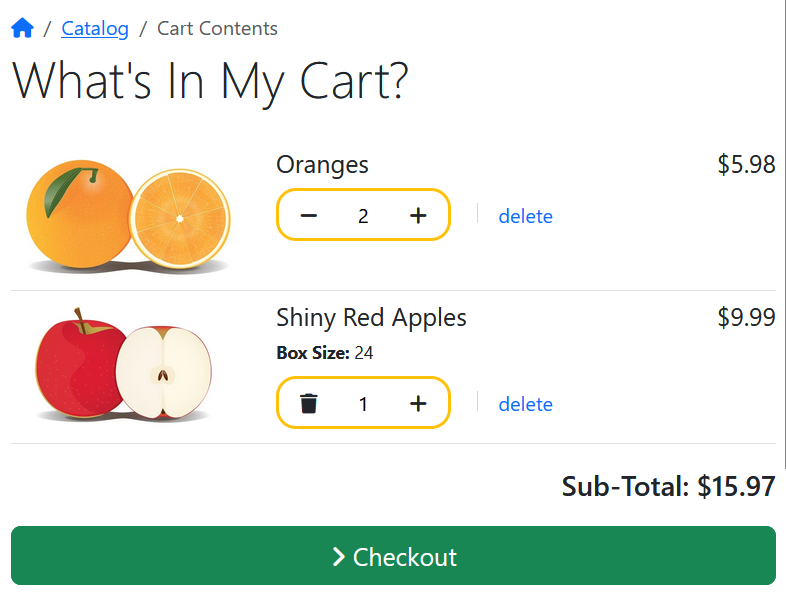
Amazon Style Shopping Cart #4
A Faster, Friendlier Cart for Phoenix Cart: Live Updates Without the Page Reload
The traditional shopping cart works like a form. You change a quantity, press "Update", the whole page reloads, and you hope the numbers now make sense. It works, but it's clunky, and every reload is a small chance for a customer to lose their place or their patience.
This new Addon removes that step. Quantity changes happen instantly, in place, and everything on the page stays in sync.
What it does
Each product row has plus and minus buttons beside the quantity. When a customer clicks one:
- The quantity changes immediately.
- The line price updates on the spot.
- The cart total and item count update, including the mini-cart in the header or sidebar.
- The minus button turns into a trash icon when the quantity reaches one, so the next click clearly means "remove this item".
- If the quantity reaches zero, the row fades out and disappears.
All of this is done with a small, self-contained script that talks to a lightweight endpoint. The page itself never reloads.
Stock warnings that stay accurate
The cart also handles stock levels, and it keeps the warnings correct as things change.
If a customer asks for more of an item than you have, that item gets a stock marker next to its name, and a notice appears explaining what happens next. Depending on your store's settings, the notice either warns that checkout is still allowed or tells the customer they need to adjust the quantity first.
That notice reflects the state of the whole cart, not just the last item touched. If one product is over its available stock, the notice stays visible while the customer adjusts other items, and it disappears only when every item in the cart is within stock. The stock marker on each row, meanwhile, always describes that row alone.
Benefits for customers
It feels immediate. Changing a quantity gets an instant response instead of a page reload. The cart behaves like a modern app, which is what shoppers expect.
They always know where they stand. The price, total and item count change as they click, so there are no surprises at checkout.
Problems are shown when they happen. If an item can't be fulfilled in the requested quantity, the customer finds out at the moment they choose it, right next to the product, rather than at the end of checkout.
Removing items is obvious. The minus-to-trash icon makes it clear what the next click will do, which prevents both accidental removals and confusion.
It works well on a phone. Large, tappable plus and minus buttons are far easier than typing into a small number field, and the browser's tiny spinner arrows are hidden.
Benefits for shop owners
Fewer abandoned carts from friction. Every reload, confusing total or late stock surprise is a reason for a customer to give up. Removing those moments helps keep customers moving toward checkout.
Stock problems surface early. Customers learn about stock limits while they can still do something about it, which means fewer frustrated checkouts and fewer awkward conversations about orders you can't fully ship.
You control the stock policy. The notice follows your existing stock settings. If you allow checkout with insufficient stock, customers get a gentle warning. If you don't, they get a clear instruction to adjust. The cart does not impose its own rules.
It's server-verified. The browser never decides prices or stock on its own. Every change goes to the server, which updates the real session cart and returns the authoritative numbers. What customers see is what the store will actually charge.
It fits the Phoenix Cart way of working. There are no core file changes to track through upgrades. It uses the Bootstrap 5 styling and plain JavaScript the rest of the storefront already relies on, so there is no extra library to load or maintain.
The takeaway
A cart is where interest turns into an order, so it should be the smoothest page in the shop. Live quantity changes, instant totals and honest, accurate stock warnings make it faster for customers to buy and give shop owners fewer problem orders to deal with, all without touching the core.

The traditional shopping cart works like a form. You change a quantity, press "Update", the whole page reloads, and you hope the numbers now make sense. It works, but it's clunky, and every reload is a small chance for a customer to lose their place or their patience.
This new Addon removes that step. Quantity changes happen instantly, in place, and everything on the page stays in sync.
What it does
Each product row has plus and minus buttons beside the quantity. When a customer clicks one:
- The quantity changes immediately.
- The line price updates on the spot.
- The cart total and item count update, including the mini-cart in the header or sidebar.
- The minus button turns into a trash icon when the quantity reaches one, so the next click clearly means "remove this item".
- If the quantity reaches zero, the row fades out and disappears.
All of this is done with a small, self-contained script that talks to a lightweight endpoint. The page itself never reloads.
Stock warnings that stay accurate
The cart also handles stock levels, and it keeps the warnings correct as things change.
If a customer asks for more of an item than you have, that item gets a stock marker next to its name, and a notice appears explaining what happens next. Depending on your store's settings, the notice either warns that checkout is still allowed or tells the customer they need to adjust the quantity first.
That notice reflects the state of the whole cart, not just the last item touched. If one product is over its available stock, the notice stays visible while the customer adjusts other items, and it disappears only when every item in the cart is within stock. The stock marker on each row, meanwhile, always describes that row alone.
Benefits for customers
It feels immediate. Changing a quantity gets an instant response instead of a page reload. The cart behaves like a modern app, which is what shoppers expect.
They always know where they stand. The price, total and item count change as they click, so there are no surprises at checkout.
Problems are shown when they happen. If an item can't be fulfilled in the requested quantity, the customer finds out at the moment they choose it, right next to the product, rather than at the end of checkout.
Removing items is obvious. The minus-to-trash icon makes it clear what the next click will do, which prevents both accidental removals and confusion.
It works well on a phone. Large, tappable plus and minus buttons are far easier than typing into a small number field, and the browser's tiny spinner arrows are hidden.
Benefits for shop owners
Fewer abandoned carts from friction. Every reload, confusing total or late stock surprise is a reason for a customer to give up. Removing those moments helps keep customers moving toward checkout.
Stock problems surface early. Customers learn about stock limits while they can still do something about it, which means fewer frustrated checkouts and fewer awkward conversations about orders you can't fully ship.
You control the stock policy. The notice follows your existing stock settings. If you allow checkout with insufficient stock, customers get a gentle warning. If you don't, they get a clear instruction to adjust. The cart does not impose its own rules.
It's server-verified. The browser never decides prices or stock on its own. Every change goes to the server, which updates the real session cart and returns the authoritative numbers. What customers see is what the store will actually charge.
It fits the Phoenix Cart way of working. There are no core file changes to track through upgrades. It uses the Bootstrap 5 styling and plain JavaScript the rest of the storefront already relies on, so there is no extra library to load or maintain.
The takeaway
A cart is where interest turns into an order, so it should be the smoothest page in the shop. Live quantity changes, instant totals and honest, accurate stock warnings make it faster for customers to buy and give shop owners fewer problem orders to deal with, all without touching the core.
This was first made available for FREE in the Code Co-op.
Not yet a member? What are you waiting for...join the Co-op.
This addon mimics the overall style of the Amazon Shopping Cart. The standard layout is removed in favour of a much nicer looking layout that works without page reloads.
£99
v2 - Stock Notice Added
v1 - Initial Release
v1 - Initial Release
YES
YES
YES
Phoenix is free. Building it isn't.Behind every release are hosting, infrastructure, testing, security work and countless unpaid hours that most people never see. Every donation goes into the Phoenix Cart fund, keeping the project independent, maintained and moving forward.
Secure payment via PayPal. Thank you for keeping Phoenix alive.
by burt
Paid Addon
Random Addon
Free Shipping Cart Message
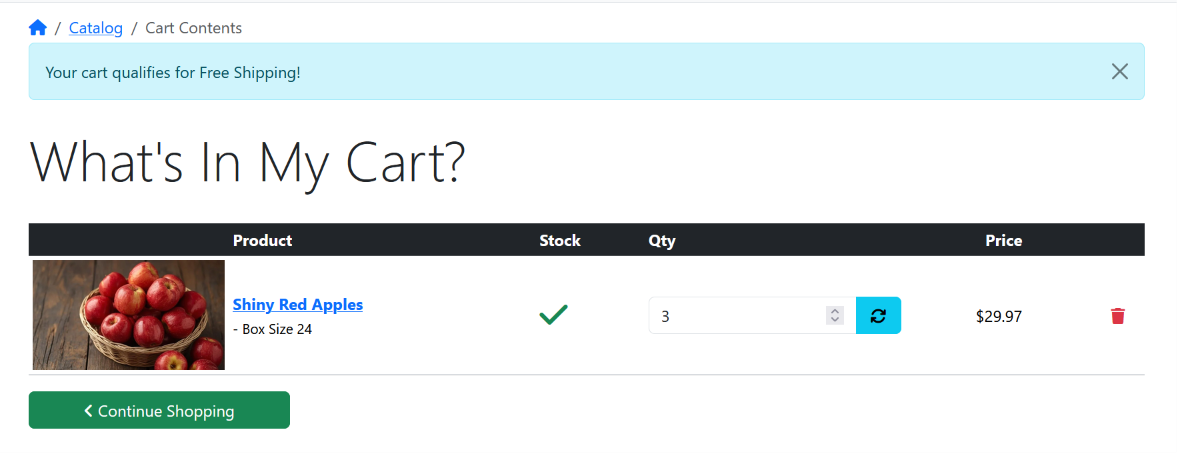
This add-on shows a free shipping message on the shopping cart page.
- It uses the free shipping setting in the Order Total Delivery Module.
- If the cart total is below the free shipping threshold, the message says:
"Add [remaining amount] to qualify for free shipping."
- If the cart total has reached the free shipping threshold, the message says:
"Your cart qualifies for free shipping."
- Note that the destination setting is ignored because the destination country is not yet set at this stage.
- It uses the free shipping setting in the Order Total Delivery Module.
- If the cart total is below the free shipping threshold, the message says:
"Add [remaining amount] to qualify for free shipping."
- If the cart total has reached the free shipping threshold, the message says:
"Your cart qualifies for free shipping."
- Note that the destination setting is ignored because the destination country is not yet set at this stage.
This add-on shows a free shipping message on the shopping cart page.
- It uses the free shipping setting in the Order Total Delivery Module.
- If the cart total is below the free shipping threshold, the message says:
"Add [remaining amount] to qualify for free shipping."
- If the cart total has reached the free shipping threshold, the message says:
"Your cart qualifies for free shipping."
- Note that the destination setting is ignored because the destination country is not yet set at this stage.
- It uses the free shipping setting in the Order Total Delivery Module.
- If the cart total is below the free shipping threshold, the message says:
"Add [remaining amount] to qualify for free shipping."
- If the cart total has reached the free shipping threshold, the message says:
"Your cart qualifies for free shipping."
- Note that the destination setting is ignored because the destination country is not yet set at this stage.
10 €
Initial Release
NOT SUPPORTED
TESTED 7.x
TESTED 8.0-8.5
TESTED
by raiwa
Paid Addon
Amazon Style Shopping Cart #4
by burt
Paid Addon
Content & Banners
Code Co-op
£99
YES
YES
YES
by burt
Paid Addon
Last updated: 11 hrs ago
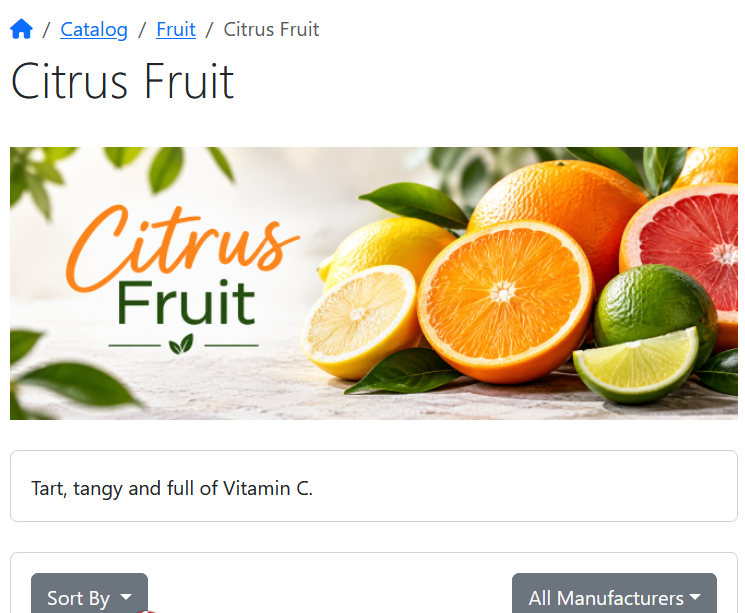
Category Hero Image
by burt
Paid Addon
Content & Banners
Code Co-op
£25
TESTED
TESTED
TESTED
by burt
Paid Addon
Last updated: 2 days ago
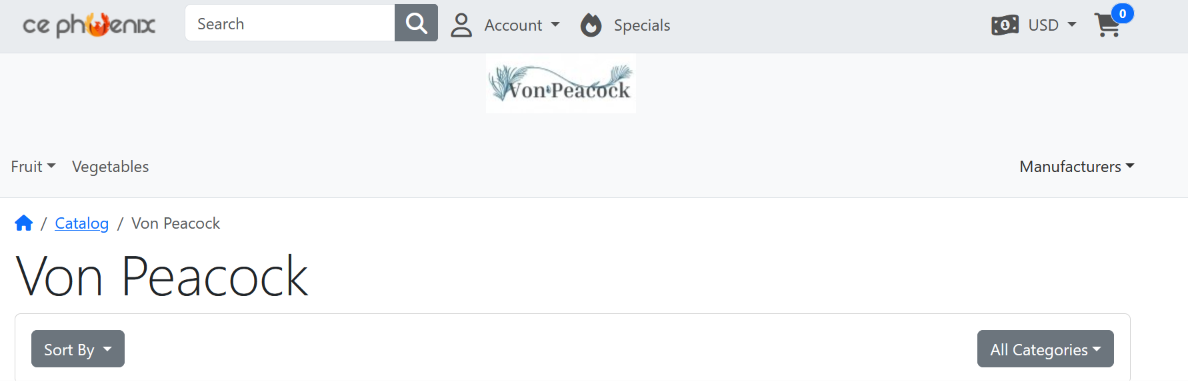
Manufacturer Banners
by raiwa
Paid Addon
Code Co-op
15 €
NOT SUPPORTED
TESTED 7.x
TESTED 8.0-8.5
TESTED
by raiwa
Paid Addon
Last updated: 3 days ago
Free Shipping Cart Message
by raiwa
Paid Addon
Code Co-op
10 €
NOT SUPPORTED
TESTED 7.x
TESTED 8.0-8.5
TESTED
by raiwa
Paid Addon
Last updated: 3 days ago
Xmas Eye Candy
by burt
Paid Addon
Templates & Themes
Code Co-op
£10
YES
YES
YES
by burt
Paid Addon
Last updated: 3 days ago
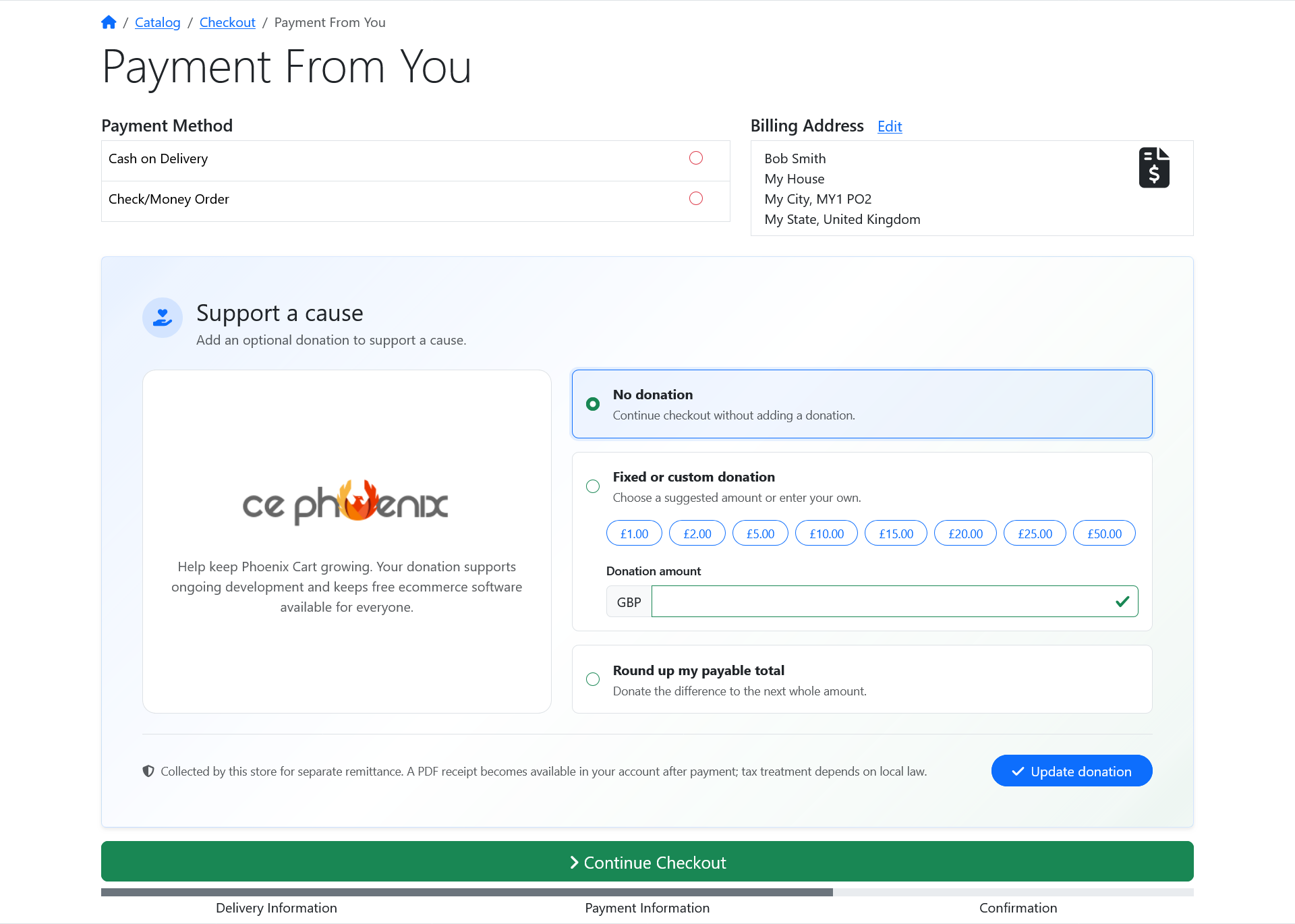
Phoenix Cart Donations
by tessthepup
Paid Addon
Checkout & Order Flow
Code Co-op
£35.00
TESTED 8.1 & 8.3
TESTED
by tessthepup
Paid Addon
Last updated: 6 days ago
Year Make Model Version

by raiwa
Paid Addon
Product Management
155,00 €
NOT SUPPORTED
TESTED 7.x
8.0-8.3
TESTED
by raiwa
Paid Addon
Last updated: 6 days ago
Tracking

by raiwa
Paid Addon
Tools & Utilities
53,00 €
NOT SUPPORTED
TESTED 7.x
TESTED 8.0-8.5
TESTED
by raiwa
Paid Addon
Last updated: a week ago
Info Pages Pro

by raiwa
Paid Addon
Marketing & Engagement
70.00 €
NOT SUPPORTED
TESTED 7.x
TESTED 8.0-8.3
TESTED
by raiwa
Paid Addon
Last updated: a week ago
Splash Popups

by tessthepup
Paid Addon
Marketing & Engagement
Code Co-op
£35.00
TESTED PHP 8.1 & 8.3
TESTED
by tessthepup
Paid Addon
Last updated: a week ago
Reviews and Testimonials Manager

by raiwa
Paid Addon
Tools & Utilities
90,00 EUR
NOT SUPPORTED
TESTED 7.x
TESTED 8.0-8.3
by raiwa
Paid Addon
Last updated: 2 weeks ago
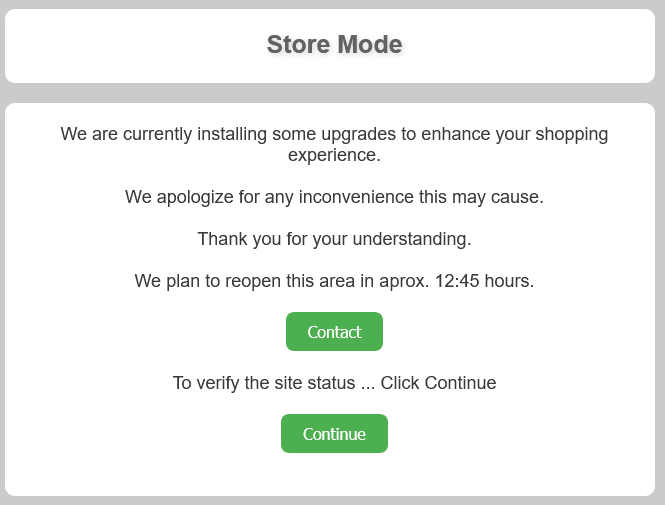
Store Mode
by raiwa
Free Addon
Other
NOT SUPPORTED
TESTED 7.x
TESTED 8.0-8.3
TESTED
by raiwa
Free Addon
Last updated: 2 weeks ago
10910
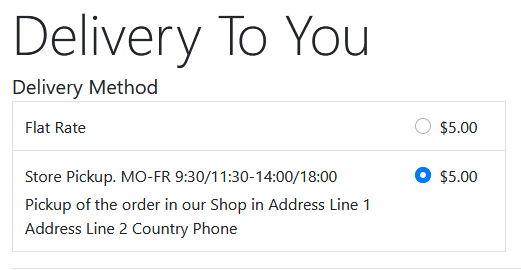
Store Pickup
by raiwa
Free Addon
Shipping
NOT SUPPORTED
TESTED 7.x
TESTED 8.0-8.5
by raiwa
Free Addon
Last updated: 2 weeks ago
1408
Sloppy Words Cleaner

by raiwa
Free Addon
Admin
NOT SUPPORTED
TESTED 7.x
TESTED 8.0-8.5
TESTED
by raiwa
Free Addon
Last updated: 2 weeks ago
2561
XML Sitemaps
by burt
Free Addon
Other
This addon creates a number of XML Sitemaps automatically.
XML files will be created for;
XML files will be created for;
- products
- specials
- categories
- manufacturers
This addon adds in a number of XML Sitemaps.
v2 - Release
v1 - Supporters Code
v1 - Supporters Code
YES
YES
N/A
Phoenix is free. Building it isn't.Behind every release are hosting, infrastructure, testing, security work and countless unpaid hours that most people never see. Every donation goes into the Phoenix Cart fund, keeping the project independent, maintained and moving forward.
Secure payment via PayPal. Thank you for keeping Phoenix alive.
YES
YES
N/A
by burt
Free Addon
Last updated: 2 weeks ago
20
German language / Deutsches Sprachpaket
by cupidare
Free Addon
Languages
German translation for language files +++ Deutsche Übersetzung der Sprachdateien
German language files +++ Deutsche Sprachdateien
TESTED
TESTED
by cupidare
Free Addon
Last updated: 3 weeks ago
13892