Start
From Phoenix Cart User Guide
Revision as of 07:30, 22 June 2020 by PeterRobert (talk | contribs)
<historylink type="back">🠈 Back</historylink> 🠉 ADMINISTRATION
First you must open a business account with PayPal.
- From admin go to
 PayPal → Start to see this:
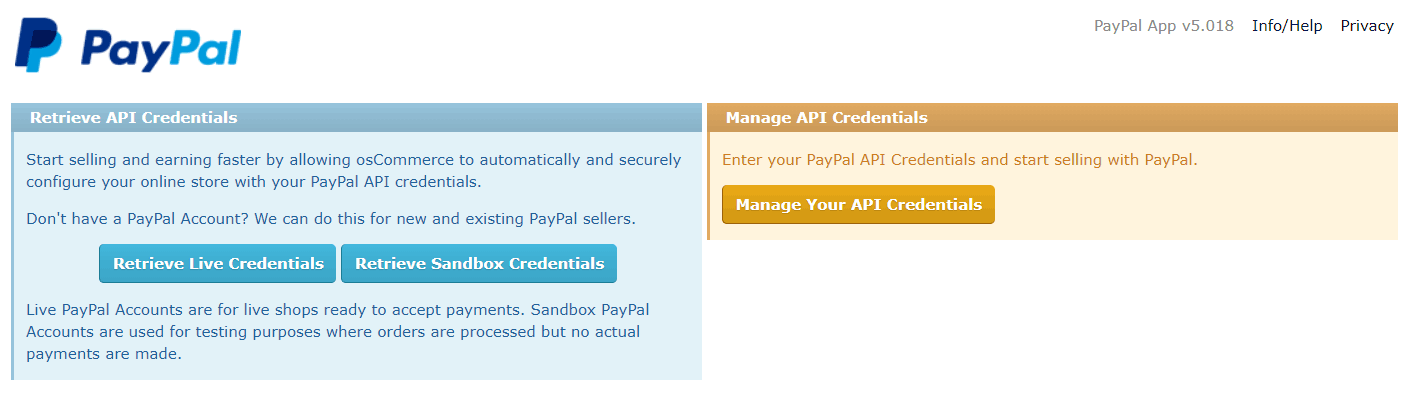
- Click the blue Retrieve Live Credentials button.
- This will automatically redirect to the PayPal page.
- Log in at PayPal and follow the prompts to complete the process to automatically be redirected back.
- PayPal credentials will be shown and saved.
- From admin go to Configuration → PayPal
- Menu items have now been added for information only - no changes are required:
- Balance
- Configure
- Credentials
- Log
- To enable PayPal payments in the shop.
- Install the PayPal payment module - go to Modules → Payment → Install Module

Please visit again soon for additions and changes
Phoenix Cart User Guide, like CE Phoenix Cart, is free to use but is maintained by unpaid volunteers.
All other content is the reserved Intellectual Property and Copyright of phoenixcart.org
