Images
From Phoenix Cart User Guide
Revision as of 07:38, 7 September 2024 by PeterRobert (talk | contribs)
Back
Administration
From admin go to  Configuration → Images to see this:
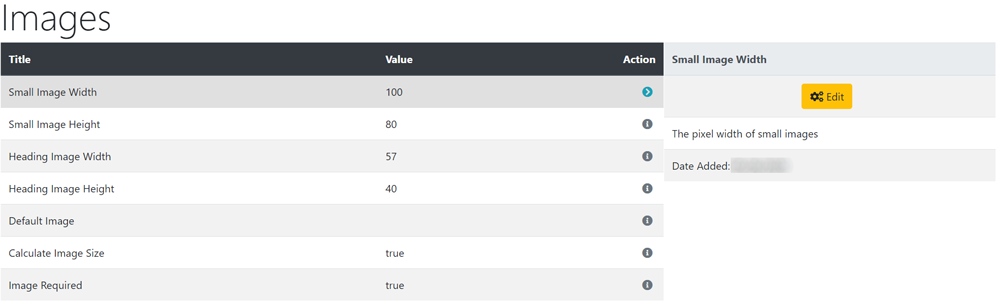
These settings control the display of some images.
To change any setting:
- Click the item in the Title column list to select it.
- Click it again to edit.
- Change the settings in the edit panel.
- Click Save
- Default Image
- To show a default image if there is no other valid image file, create and upload a default image to the images folder/directory on your host server and enter the default image file here e.g. images/default.jpg otherwise leave blank.

Please visit again soon for additions and changes
Phoenix Cart User Guide, like CE Phoenix Cart, is free to use but is maintained by unpaid volunteers.
All other content is the reserved Intellectual Property and Copyright of phoenixcart.org
