Reviews
<historylink type="back">🠈 Back</historylink> 🠉 ADMINISTRATION
From admin go to Catalog → Reviews to see this:
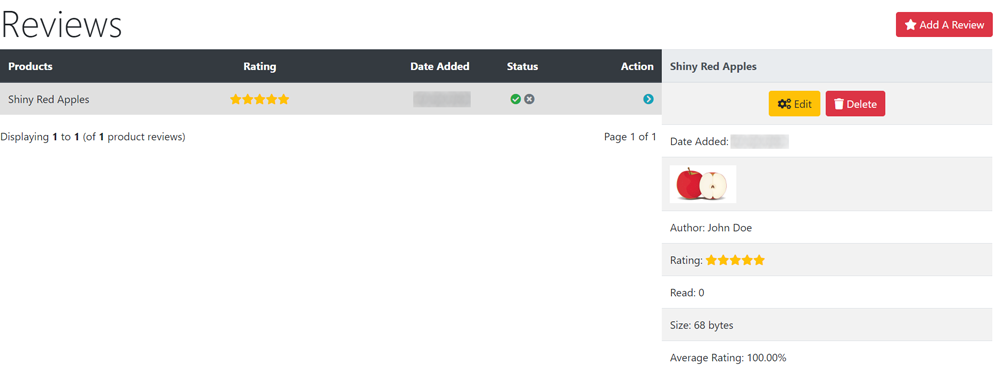
Reviews submitted from customers or received by email for example, can be entered and edited here.
Note that the Modules → Content → Product Reviews product_info module is installed by default to display reviews on the shop and Modules → Content → Review Stars/Link product_info module is installed by default to allow customers to write a review. Remove or disable the modules if you do not want to show or allow reviews and/or change the status or delete the sample review shown here.
Enable or disable display on the shop.
- Click the Status buttons - green tick to enable (publish) - red cross to disable (not published).
The ability for customers to submit a review on any product or only on products they have purchased can be set here Configuration → My Store → Allow All Reviews? - see My Store
Note that all submitted reviews are not published automatically on the shop - they are received by the shop owner first who can then edit and publish them.
Edit a review.
- Click on a review in the list to select it.
- Click Edit to see this:

- Make any required changes.
- Click Preview
- Click Save

Please visit again soon for additions and changes
Phoenix Cart User Guide, like CE Phoenix Cart, is free to use but is maintained by unpaid volunteers.
All other content is the reserved Intellectual Property and Copyright of phoenixcart.org
