Action Recorder
From Phoenix Cart User Guide
Revision as of 05:46, 25 March 2021 by PeterRobert (talk | contribs)
Back
Administration
From admin go to  Tools → Action Recorder
- When your shop has been active you will see something like this:
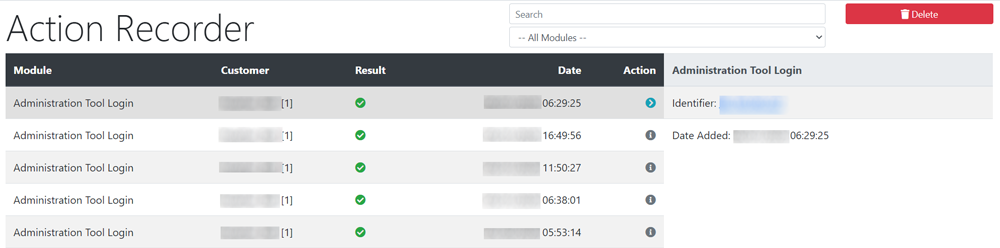
- This will show a list of actions defined by the modules Modules → Action Recorder
- This is for information only - no changes can be made here but the records can be cleared by clicking the Delete button.

Please visit again soon for additions and changes
Phoenix Cart User Guide, like CE Phoenix Cart, is free to use but is maintained by unpaid volunteers.
All other content is the reserved Intellectual Property and Copyright of phoenixcart.org
