Sessions
From Phoenix Cart User Guide
Revision as of 06:17, 25 March 2021 by PeterRobert (talk | contribs)
Back
Administration
From admin go to  Configuration → Sessions to see this:
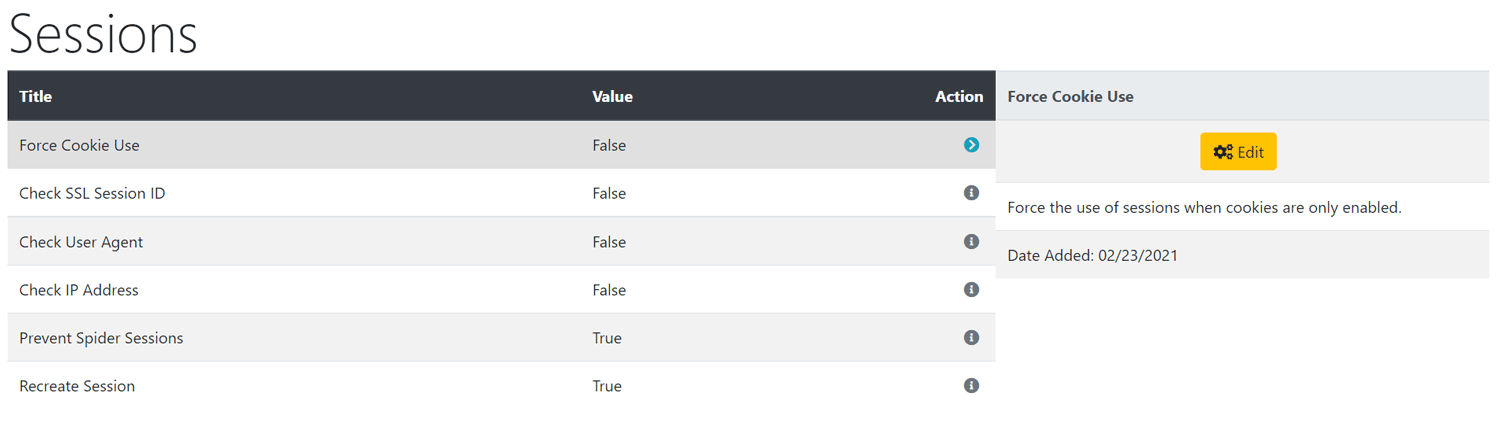
The default settings can be left as they are here unless you know better!
To change any setting:
- Click the item in the Title column list to select it.
- Click it again to edit.
- Change the settings in the edit panel.
- Click Save
Phoenix Cart User Guide, like CE Phoenix Cart, is free to use but is maintained by unpaid volunteers.
All other content is the reserved Intellectual Property and Copyright of phoenixcart.org
