Difference between revisions of "Change Logo"
From Phoenix Cart User Guide
PeterRobert (talk | contribs) |
PeterRobert (talk | contribs) |
||
| Line 5: | Line 5: | ||
*From admin go to '''Configuration → Store Logo''' - you will see this: | *From admin go to '''Configuration → Store Logo''' - you will see this: | ||
<div class="mainpage_box"> | <div class="mainpage_box"> | ||
| − | [[File:changelogo.png]] | + | [[File:changelogo.png|link=]] |
</div> | </div> | ||
*Click <span class="btn-input">Choose file</span> to upload your logo. | *Click <span class="btn-input">Choose file</span> to upload your logo. | ||
Revision as of 16:41, 20 October 2019
<historylink type="back">🠈 Back</historylink> 🠉 SET UP SHOP
- From admin go to Configuration → Store Logo - you will see this:
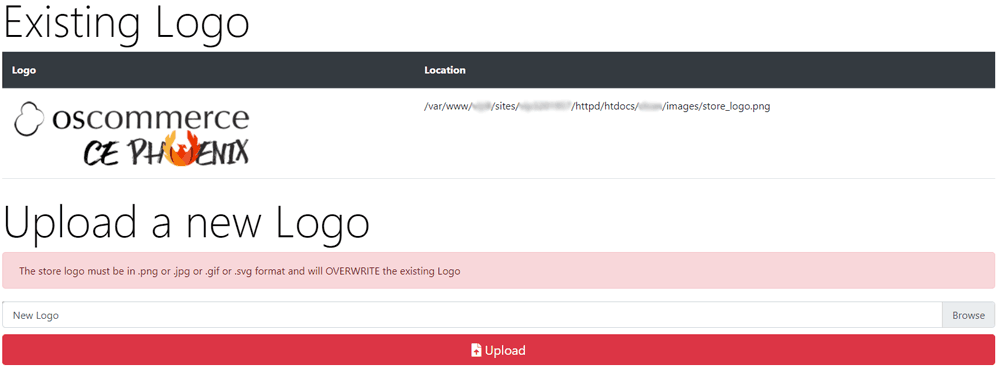
- Click Choose file to upload your logo.
- Click Save - that's it!
Phoenix Cart User Guide, like CE Phoenix Cart, is free to use but is maintained by unpaid volunteers.
All other content is the reserved Intellectual Property and Copyright of phoenixcart.org
