Customer Data Groups
From admin go to  Localization → Customer Data Groups to see this:
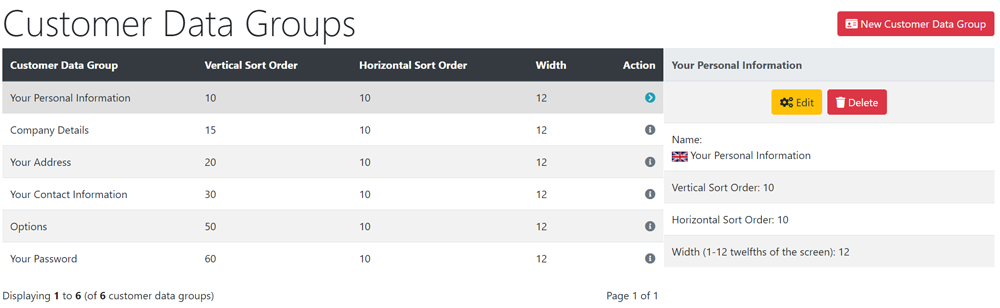
These define the blocks of information as shown on the create_account.php page when a customer registers on the website.
For English-only stores, nothing needs changing here. For other languages stores, edit these groups to translate the names for each language that you are using. WARNING: if you delete a group that is in use, you have to manually update the customer data modules - Modules → Customer Data - associated with that group to a new group. It is usually easier to edit the existing groups than to delete and add groups.
Each information field is allocated to these groups in Modules → Customer Data
Many Addons and Extensions available in the CE Phoenix Cart Addons Library
If help is needed, support is available in the CE Phoenix Cart Support Forum
Phoenix Cart User Guide, like CE Phoenix Cart, is free to use but is maintained by unpaid volunteers.
All other content is the reserved Intellectual Property and Copyright of phoenixcart.org
